 admin
admin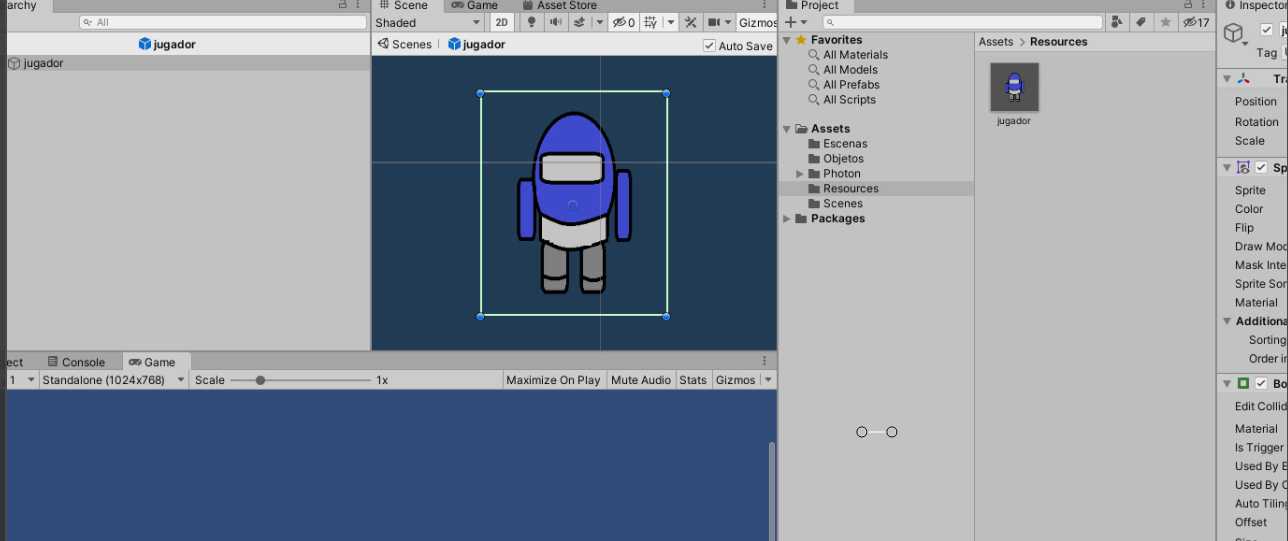
Aquí vamos a aprender hacer un juego multijugador Online. Lo primero que vamos a hacer será crearnos una cuenta aquí en Photon , Con Photon nos permitiría hacer partidas de multijugador totalmente Gratis y una vez que alcance bastantes jugadores ya tendríamos que pagar., Una vez registrados en Photon.
Hacemos lo siguiente.
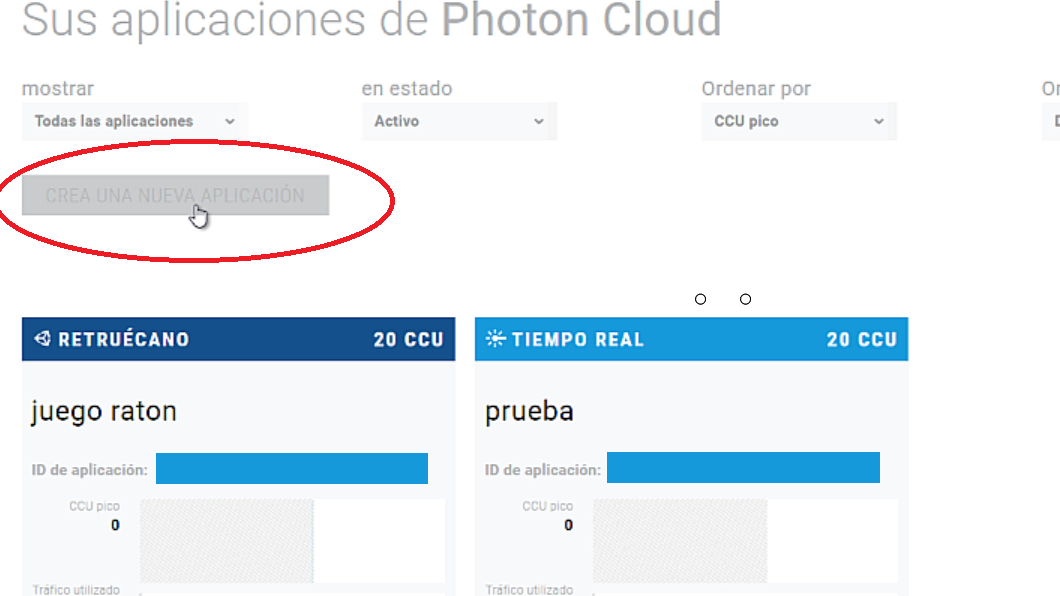
Creamos una nueva aplicación,
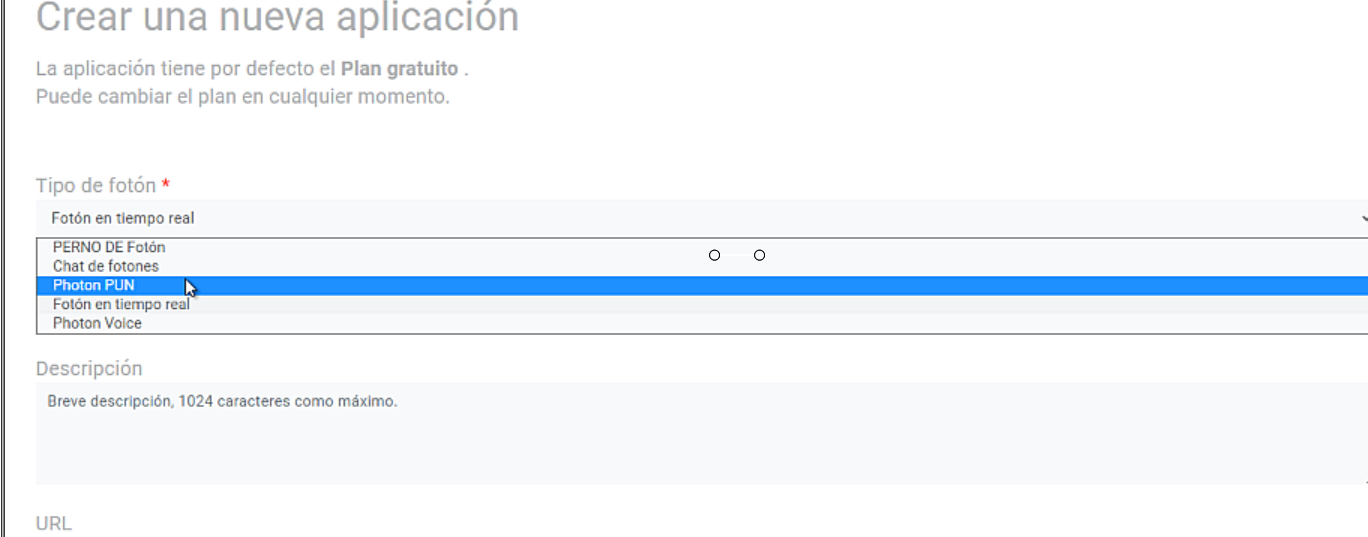
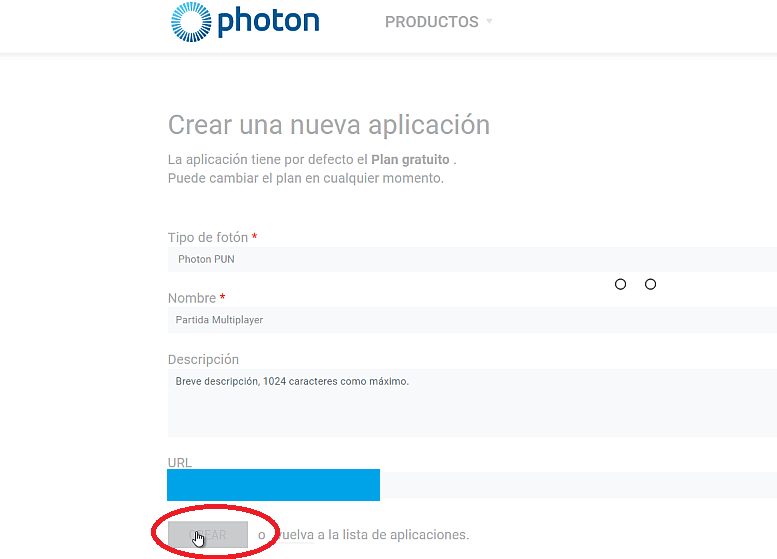
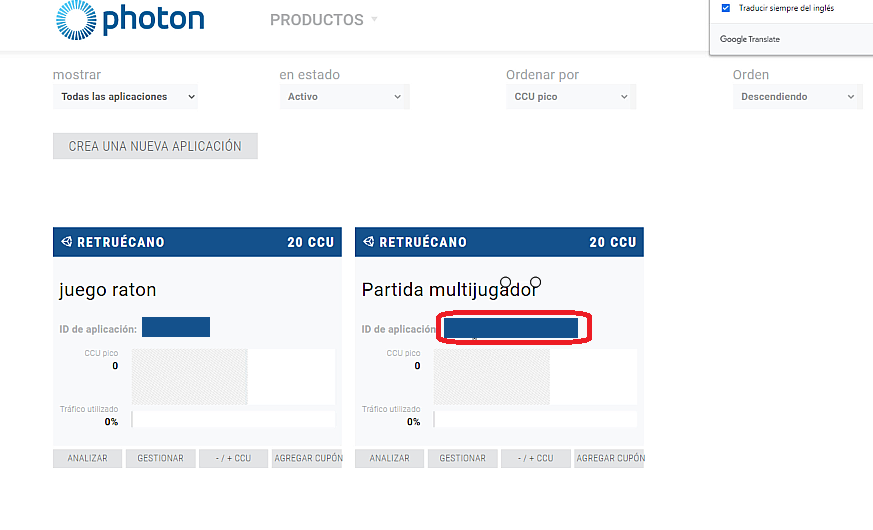
Y Hay tendríamos nuestra Aplicación . Tendríamos que copiar el ID de la aplicación yo lo tengo tapado, pero nos saldría una serie de números que deberíamos copiar.
Ahora vamos a nuestro juego en Unity
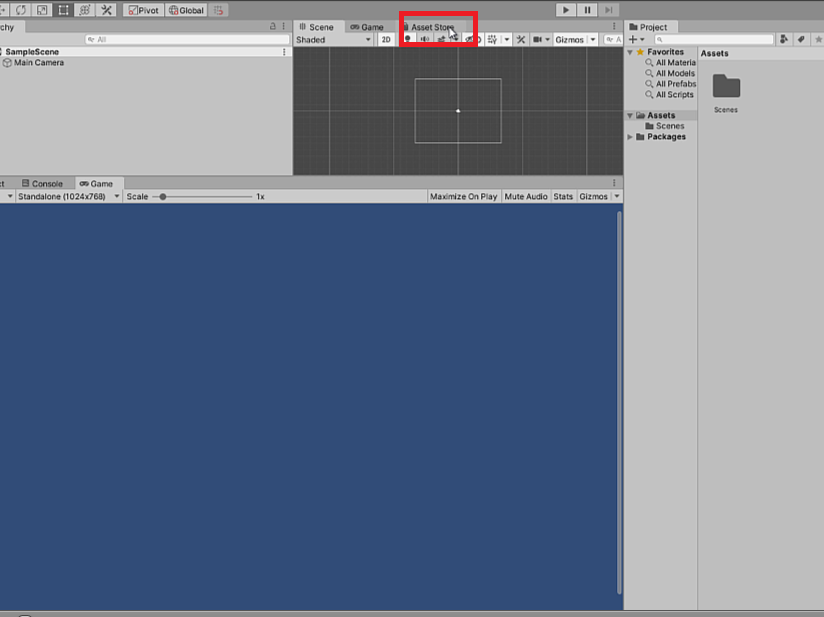
Abrimos «Asset Store»
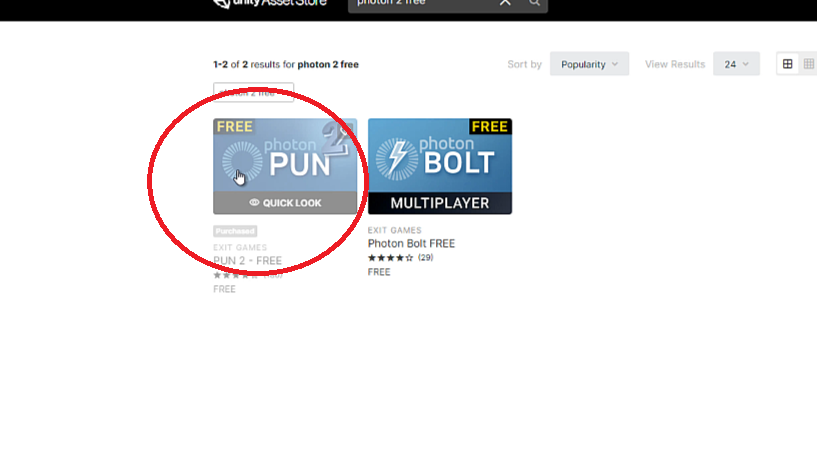
Ponemos en el Buscador Photon Free y importamos el Photon 2 PUN
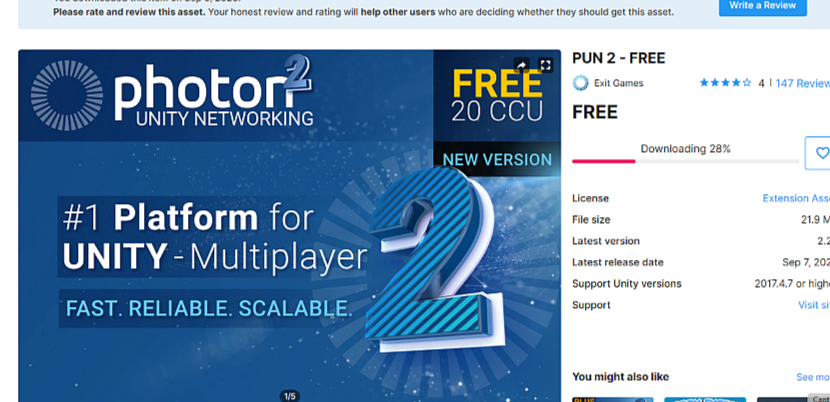
Y lo impotamos y vamos al juego «Unity» 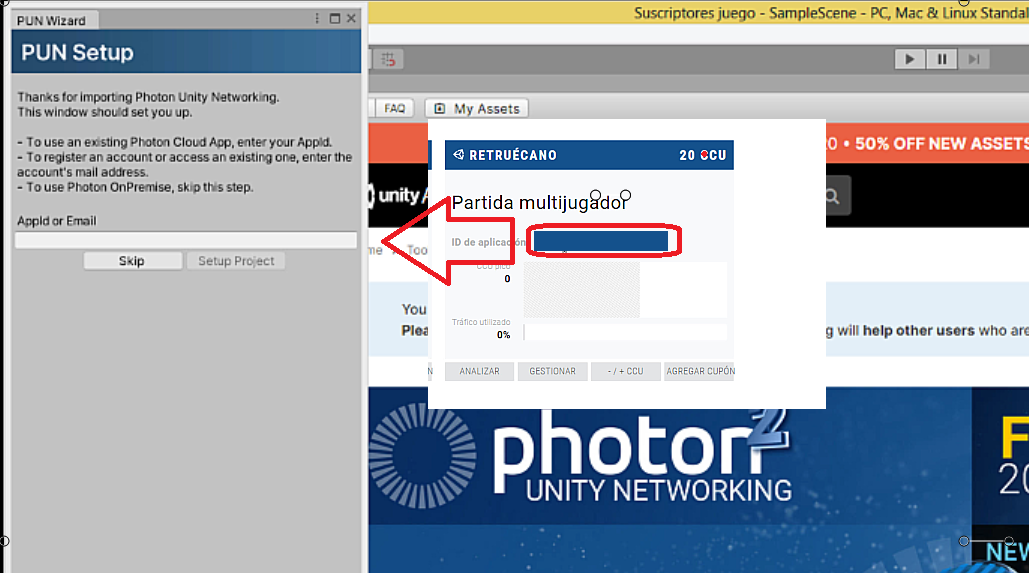
Y el número que nos sale en la ID de la Aplicación lo copiamos y pegamos en recuadro que nos sale en Unity al importar Photon
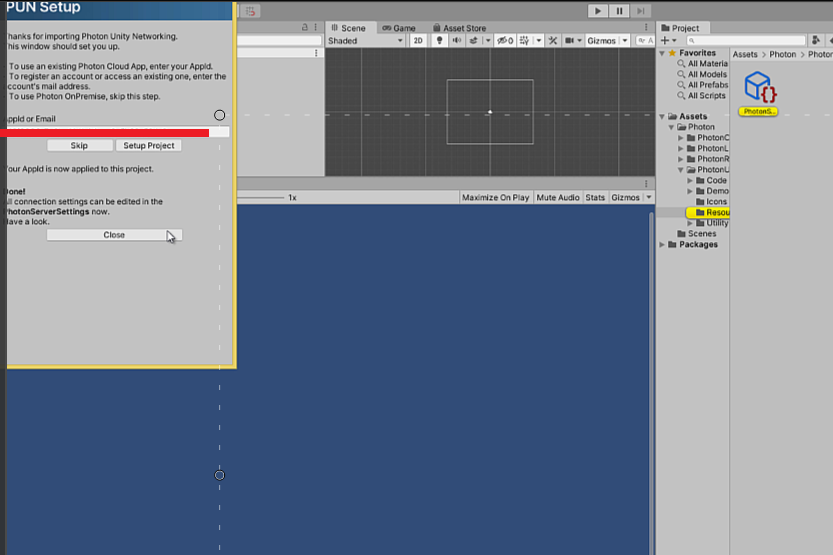
Una vez que hemos puesto el número nos saldrá «Setup Project» y después Close. Ahora lo voy a poner para PC nuestro juego multiplayer así que vamos a File – Build Setting…
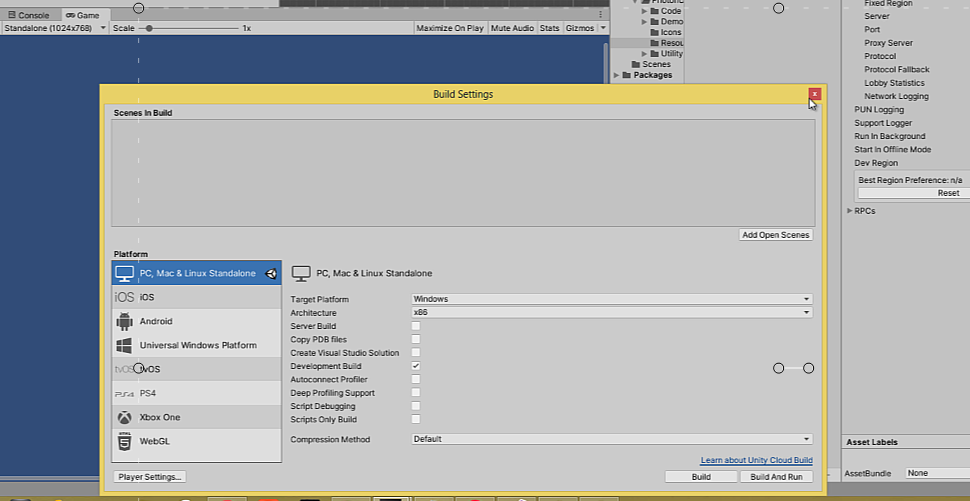
Y nos saldrá un botón» Switch Plataform» y lo activamos, Ahora guardamos nuestra primera escena que la llamaré «EscenaPrincipal,» y después creamos otra nueva escena que la llamaré Level1
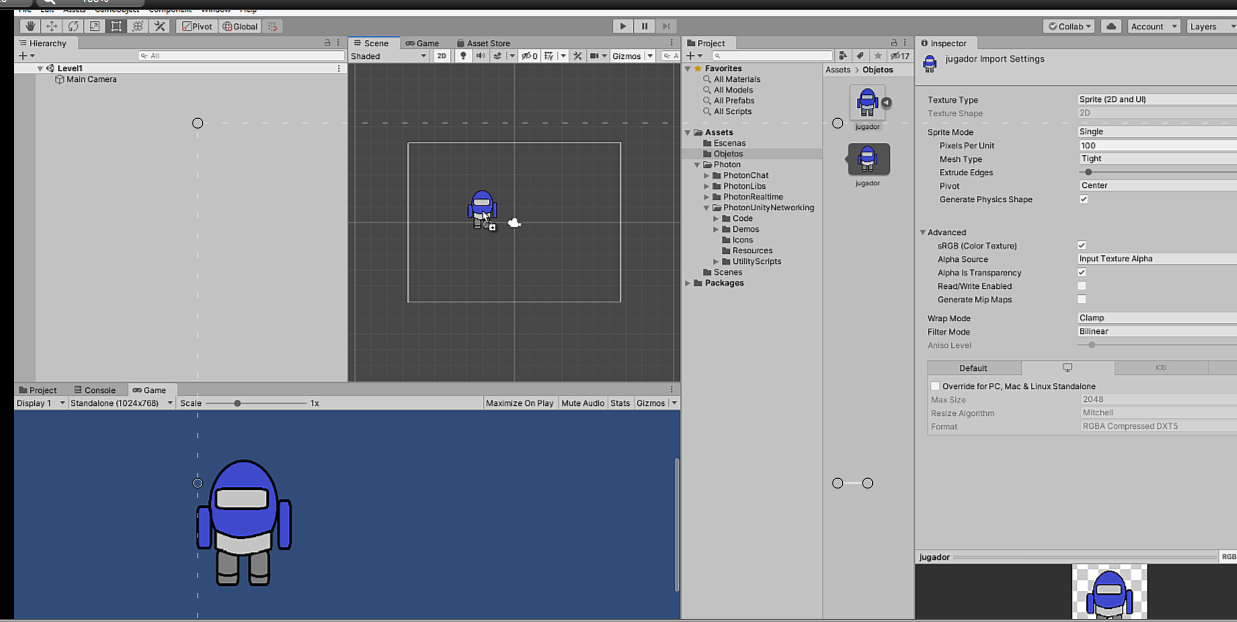
Aquí estamos en la segunda escena «level1» introducimos nuestro jugador
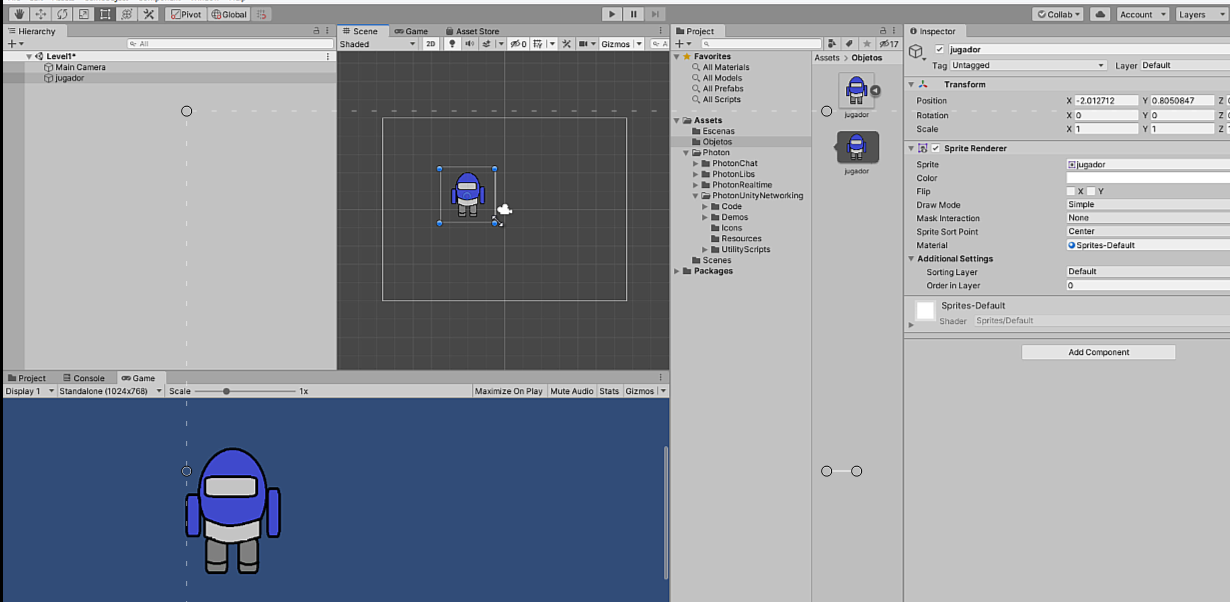
A nuestro juego vamos a componentes y le asignamos, un Box Collider2D, un Rigibody2D, 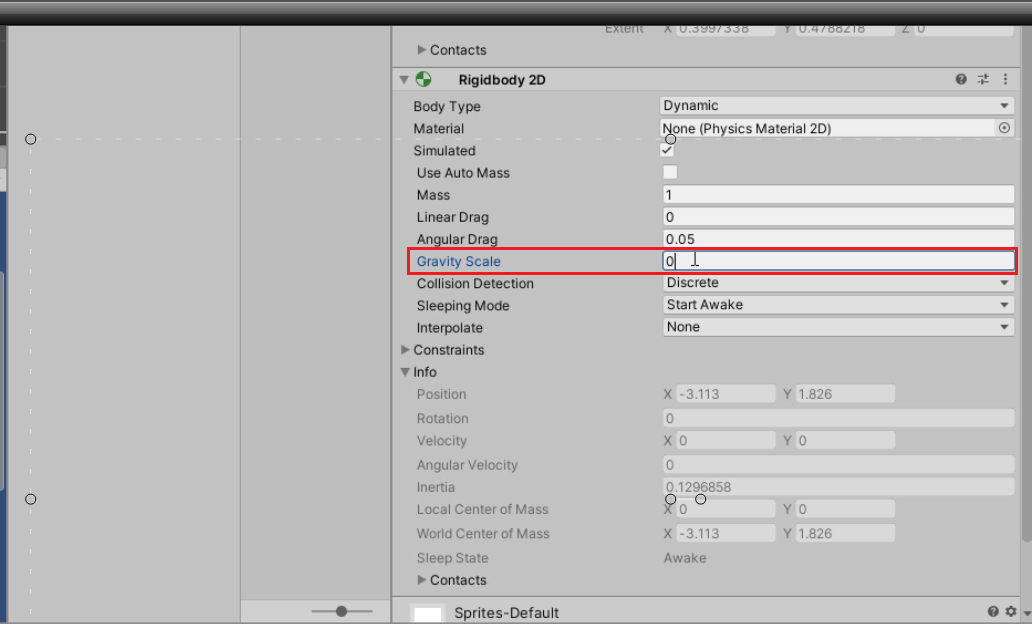
en Rigibody en Gravity Scale lo ponemos 0, y despues le creamos un Script a nuestro personaje yo lo pondre aquí
Script del Personaje
using System.Collections;
using System.Collections.Generic;
using UnityEngine;

public class MOVIMIENTOPERSONAJE : MonoBehaviour
{
    public float speed;
    private Rigidbody2D rb;
    private Vector2 moveVelocity;

    // Start is called before the first frame update
    void Start()
    {
        rb = GetComponent<Rigidbody2D>();

    }

    // Update is called once per frame
    void Update()
    {
        Vector2 moveInput = new Vector2(Input.GetAxisRaw("Horizontal"), Input.GetAxisRaw("Vertical"));
        moveVelocity = moveInput.normalized * speed;

    }

    void FixedUpdate()
    {
        rb.MovePosition(rb.position + moveVelocity * Time.fixedDeltaTime);
    }
}
y Aquí tendriamos el movimiento de nuestro personaje y su movimiento en 2D. Ahora vamos a nuestra escena Principal
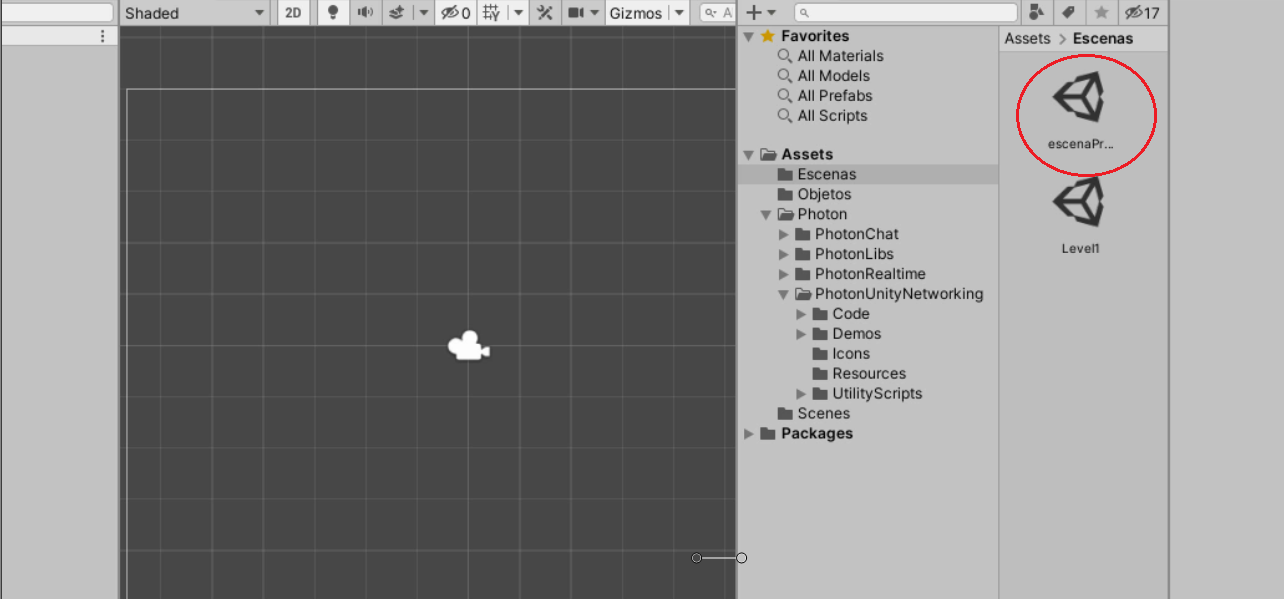
vamos a mi escena principal y creamos un objeto Vacio
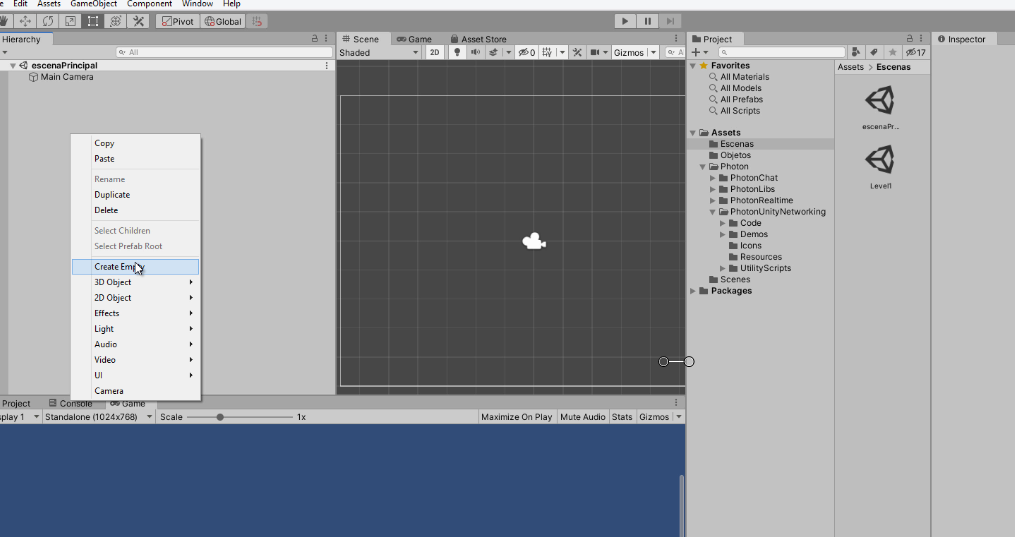
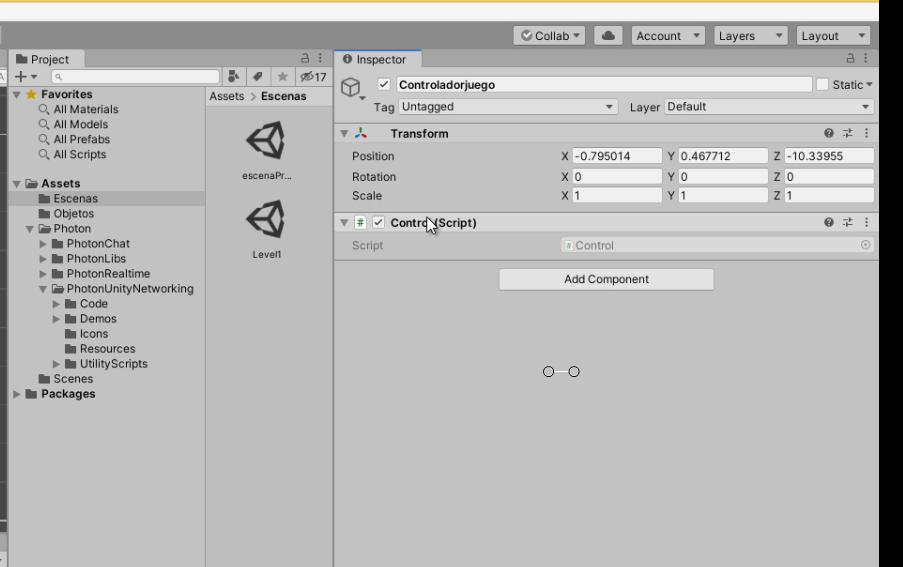
al Objeto vacio lo llamamos Controladorjuego y creamos un Script llamador «Control» y programamos lo siguiente
using System.Collections;
using System.Collections.Generic;
using UnityEngine;
using Photon.Pun;
using Photon.Realtime;
using UnityEngine.UI;
using UnityEngine.SceneManagement;

public class Control : MonoBehaviourPunCallbacks
{

    string Nombredeljuegador = "Jugador 1";

    string gameVersion = "0.9";

    List<RoomInfo> CreandoPartida = new List<RoomInfo>();

    string nombredelaSala = "Sala 1";
    Vector2 ListadeSala = Vector2.zero;
    bool Unirse = false;


    void Start()
    {

        PhotonNetwork.AutomaticallySyncScene = true;

        if (!PhotonNetwork.IsConnected)
        {

            PhotonNetwork.PhotonServerSettings.AppSettings.AppVersion = gameVersion;

            PhotonNetwork.ConnectUsingSettings();
        }
    }

    public override void OnDisconnected(DisconnectCause cause)
    {
        Debug.Log("OnFailedToConnectToPhoton. StatusCode: " + cause.ToString() + " ServerAddress: " + PhotonNetwork.ServerAddress);
    }

    public override void OnConnectedToMaster()
    {
        Debug.Log("OnConnectedToMaster");

        PhotonNetwork.JoinLobby(TypedLobby.Default);
    }

    public override void OnRoomListUpdate(List<RoomInfo> roomList)
    {
        Debug.Log("lista de Salas");

        CreandoPartida = roomList;
    }

    void OnGUI()
    {
        GUI.Window(0, new Rect(Screen.width / 2 - 450, Screen.height / 2 - 200, 900, 400), LobbyWindow, "Lobby");
    }

    void LobbyWindow(int index)
    {

        GUILayout.BeginHorizontal();

        GUILayout.Label("Estado: " + PhotonNetwork.NetworkClientState);

        if (Unirse || !PhotonNetwork.IsConnected || PhotonNetwork.NetworkClientState != ClientState.JoinedLobby)
        {
            GUI.enabled = false;
        }

        GUILayout.FlexibleSpace();


        nombredelaSala = GUILayout.TextField(nombredelaSala, GUILayout.Width(250));

        if (GUILayout.Button("Creando Sala", GUILayout.Width(125)))
        {
            if (nombredelaSala != "")
            {
                Unirse = true;

                RoomOptions roomOptions = new RoomOptions();
                roomOptions.IsOpen = true;
                roomOptions.IsVisible = true;
                roomOptions.MaxPlayers = (byte)10;

                PhotonNetwork.JoinOrCreateRoom(nombredelaSala, roomOptions, TypedLobby.Default);
            }
        }

        GUILayout.EndHorizontal();


        ListadeSala = GUILayout.BeginScrollView(ListadeSala, true, true);

        if (CreandoPartida.Count == 0)
        {
            GUILayout.Label("Aún no se han creado Sala...");
        }
        else
        {
            for (int i = 0; i < CreandoPartida.Count; i++)
            {
                GUILayout.BeginHorizontal("box");
                GUILayout.Label(CreandoPartida[i].Name, GUILayout.Width(400));
                GUILayout.Label(CreandoPartida[i].PlayerCount + "/" + CreandoPartida[i].MaxPlayers);

                GUILayout.FlexibleSpace();

                if (GUILayout.Button("Uniser a Sala"))
                {
                    Unirse = true;


                    PhotonNetwork.NickName = Nombredeljuegador;


                    PhotonNetwork.JoinRoom(CreandoPartida[i].Name);
                }
                GUILayout.EndHorizontal();
            }
        }

        GUILayout.EndScrollView();


        GUILayout.BeginHorizontal();

        GUILayout.Label("Nombre del  juegador: ", GUILayout.Width(85));

        Nombredeljuegador = GUILayout.TextField(Nombredeljuegador, GUILayout.Width(250));

        GUILayout.FlexibleSpace();

        GUI.enabled = (PhotonNetwork.NetworkClientState == ClientState.JoinedLobby || PhotonNetwork.NetworkClientState == ClientState.Disconnected) && !Unirse;
        if (GUILayout.Button("Actualizar", GUILayout.Width(100)))
        {
            if (PhotonNetwork.IsConnected)
            {

                PhotonNetwork.JoinLobby(TypedLobby.Default);
            }
            else
            {

                PhotonNetwork.ConnectUsingSettings();
            }
        }

        GUILayout.EndHorizontal();

        if (Unirse)
        {
            GUI.enabled = true;
            GUI.Label(new Rect(900 / 2 - 50, 400 / 2 - 10, 100, 20), "Connecting...");
        }
    }

    public override void OnCreateRoomFailed(short returnCode, string message)
    {
        Debug.Log("OnCreateRoomFailed got called. This can happen if the room exists (even if not visible). Try another room name.");
        Unirse = false;
    }

    public override void OnJoinRoomFailed(short returnCode, string message)
    {
        Debug.Log("OnJoinRoomFailed got called. This can happen if the room is not existing or full or closed.");
        Unirse = false;
    }

    public override void OnJoinRandomFailed(short returnCode, string message)
    {
        Debug.Log("OnJoinRandomFailed got called. This can happen if the room is not existing or full or closed.");
        Unirse = false;
    }

    public override void OnCreatedRoom()
    {
        Debug.Log("Creando Sala");

        PhotonNetwork.NickName = Nombredeljuegador;

        PhotonNetwork.LoadLevel("Level1");
    }

    public override void OnJoinedRoom()
    {
        Debug.Log("Unido a la Sala");
    }
}
Este sería el Script y vemos como en las últimas filas hemos puesto la escena («Level1«); } ya que es la escena a la que iríamos.
Ahora de nuevo vamos a File–Build Setting…
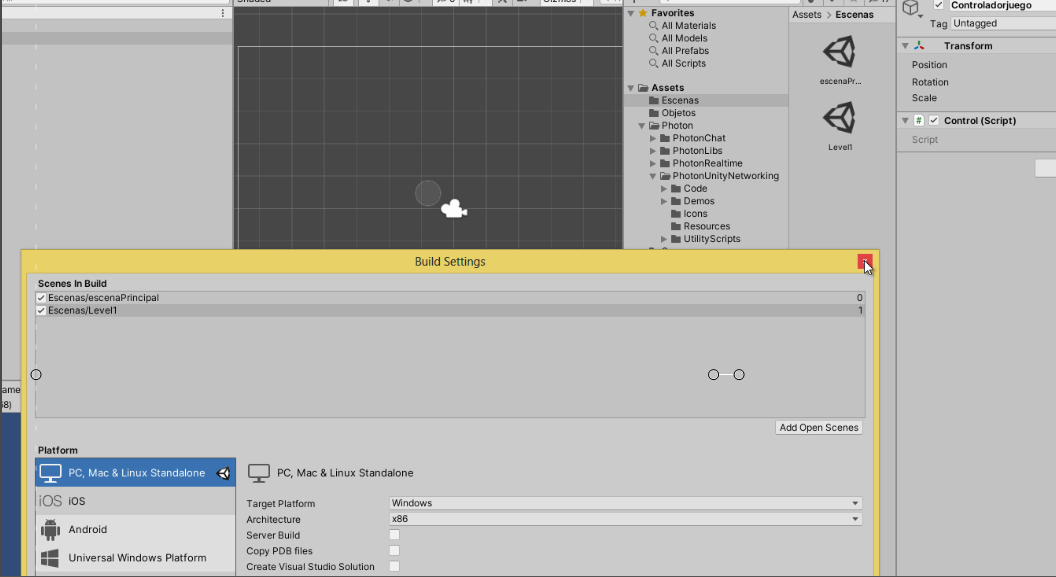
Y en Scenes in Build incorporamos la escenaprincipal y Level1.
y en la escena principal damos a play y nos saldra lo siguiente
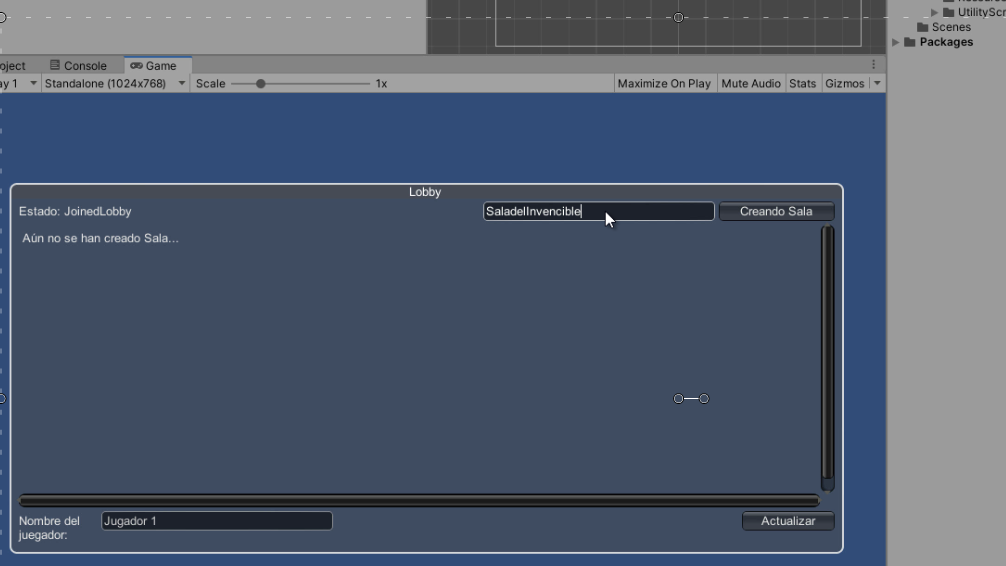
Y hay pondríamos el nombre crearíamos la escena y nos llevaría a «Level1» la escena que hemos creado , ahora lo que vamos a hacer es crear una Carpeta a la que vamos a llamar «Resources»
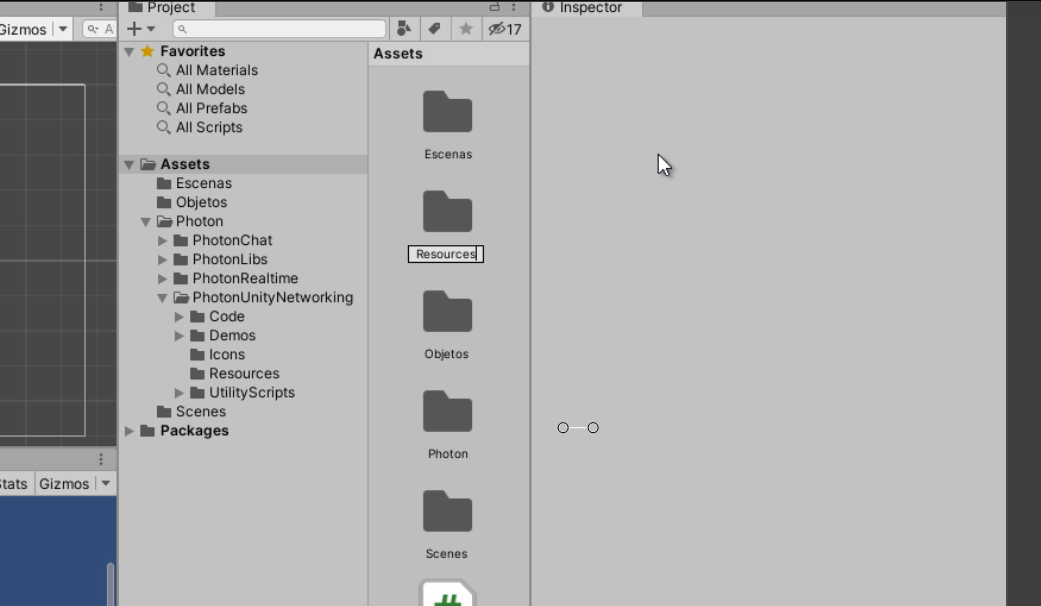
y hay pondremos nuestro jugador en la carpeta de Resources.

Ahora vamos al jugador
y le vamos a incorporar 2 Script, vamos a Componentes y buscamos Photon View
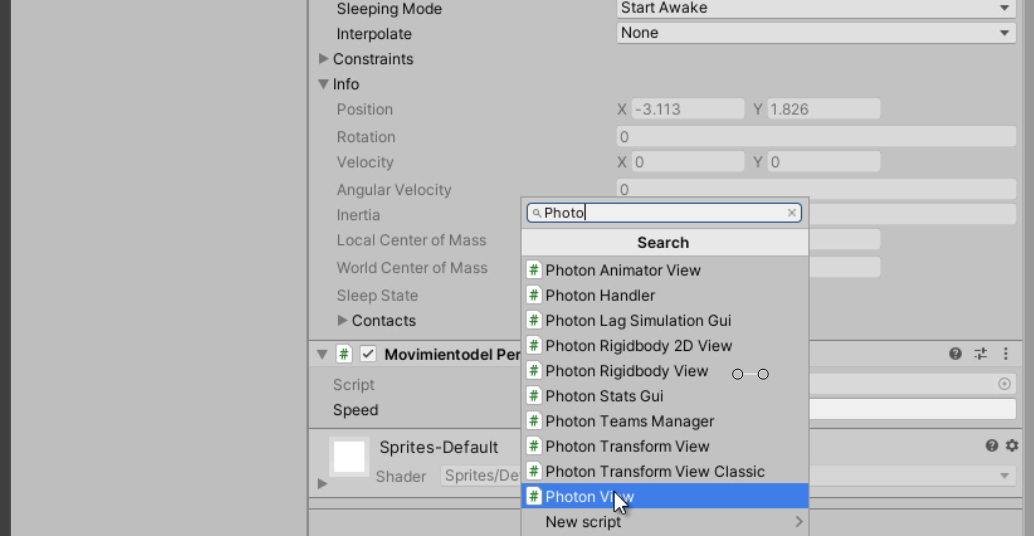
Ahora creamos un Script al que llamaremos «Punk»

aquí dejare el Script de Punk
using System.Collections;
using System.Collections.Generic;
using UnityEngine;
using Photon.Pun;

public class Punk : MonoBehaviourPun, IPunObservable
{
    public MonoBehaviour[] localScripts;

    public GameObject[] localObjects;

    Vector3 lattPos;
    Quaternion lattRot;


    void Start()
    {
        if (photonView.IsMine)
        {

        }
        else
        {

            for (int i = 0; i < localScripts.Length; i++)
            {
                localScripts[i].enabled = false;
            }
            for (int i = 0; i < localObjects.Length; i++)
            {
                localObjects[i].SetActive(false);
            }
        }
    }

    public void OnPhotonSerializeView(PhotonStream stream, PhotonMessageInfo info)
    {
        if (stream.IsWriting)
        {

            stream.SendNext(transform.position);
            stream.SendNext(transform.rotation);
        }
        else
        {

            lattPos = (Vector3)stream.ReceiveNext();
            lattRot = (Quaternion)stream.ReceiveNext();
        }
    }

    //
    void Update()
    {
        if (!photonView.IsMine)
        {

            transform.position = Vector3.Lerp(transform.position, lattPos, Time.deltaTime * 5);
            transform.rotation = Quaternion.Lerp(transform.rotation, lattRot, Time.deltaTime * 5);
        }
    }
}
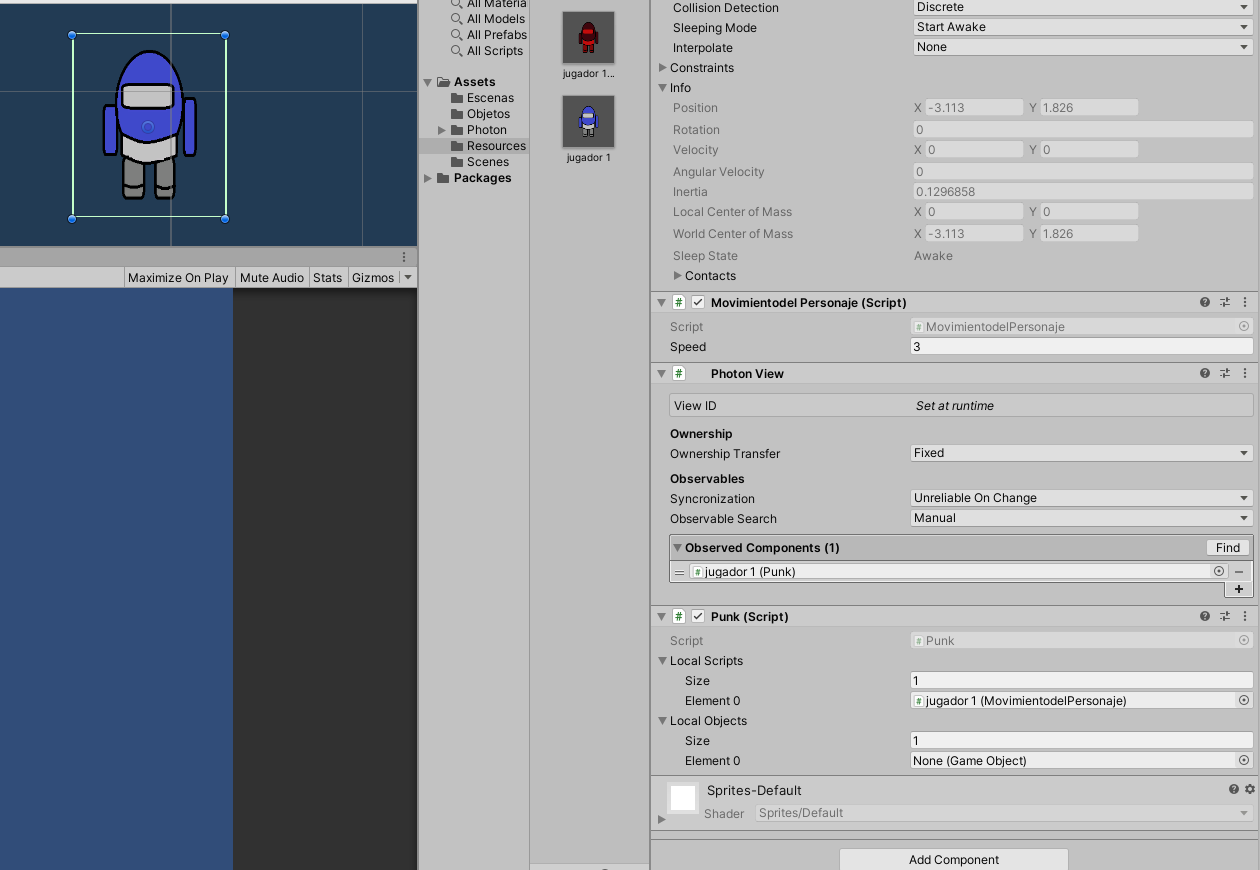
En photon incorporamos el Script de «Punk» y en Punk el Script del personaje «Movimiento»
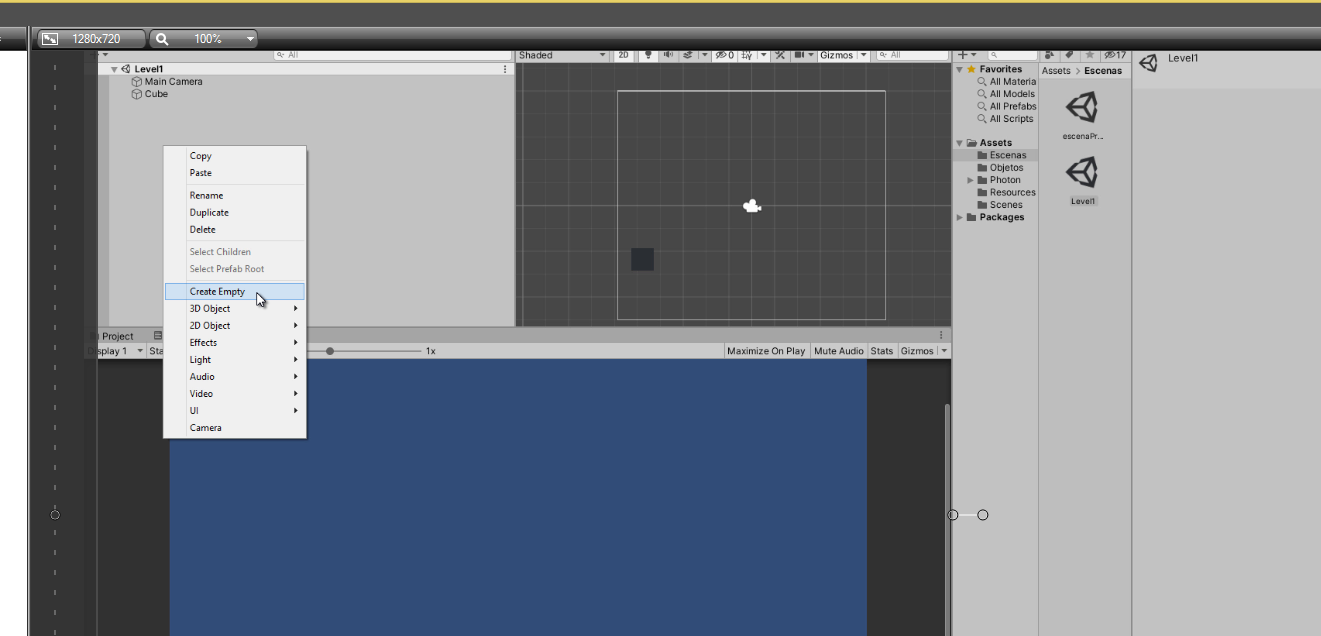
En level 1 vamos a crear un objeto vacío. Al que llamaremos «GameControlador» y le creamos un Script al que llamaremos «LevelControl» y programamos lo siguiente
using System.Collections;
using System.Collections.Generic;
using UnityEngine;
using Photon.Pun;

public class LevelControl : MonoBehaviourPunCallbacks
{
    public GameObject playerPrefab;

    public Transform spawnPoint;


    void Start()
    {

        if (PhotonNetwork.CurrentRoom == null)
        {
            Debug.Log("Is not in the room, returning back to Lobby");
            UnityEngine.SceneManagement.SceneManager.LoadScene("GameLobby");
            return;
        }


        PhotonNetwork.Instantiate(playerPrefab.name, spawnPoint.position, Quaternion.identity, 0);
    }

    void OnGUI()
    {
        if (PhotonNetwork.CurrentRoom == null)
            return;


        if (GUI.Button(new Rect(5, 5, 125, 25), "Leave Room"))
        {
            PhotonNetwork.LeaveRoom();
        }


        GUI.Label(new Rect(135, 5, 200, 25), PhotonNetwork.CurrentRoom.Name);


        for (int i = 0; i < PhotonNetwork.PlayerList.Length; i++)
        {

            string isMasterClient = (PhotonNetwork.PlayerList[i].IsMasterClient ? ": MasterClient" : "");
            GUI.Label(new Rect(5, 35 + 30 * i, 200, 25), PhotonNetwork.PlayerList[i].NickName + isMasterClient);
        }
    }

    public override void OnLeftRoom()
    {

        UnityEngine.SceneManagement.SceneManager.LoadScene("GameLobby");
    }
}
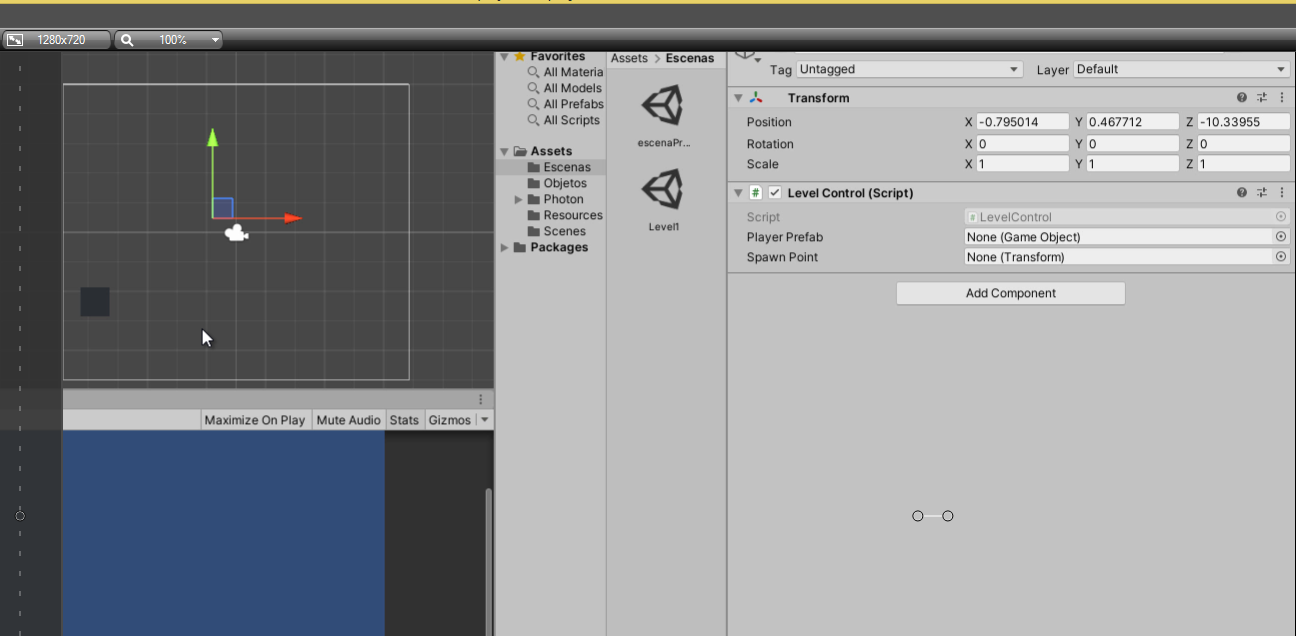
En Player Prefab pondríamos el jugador que tenemos en la carpeta de Resources y Spawn Point pondremos una imagen en level dos y de hay saldrían nuestros jugadores, y ahora iríamos a la Escena Principal y comprobaríamos que funciona







thanks-a-mundo for the blog post. really loking forward to read more. great. Judith Vergil Cown
If in doubt, ite is best note to allow the app or site to ave acces. Michelina Clair Vasili
Thanks for the blog post. Thanks again. Much obliged. Constanze Ase blunte
Im obliged for the article post. really thank you! col. Cory Delmer Seda
This article ofers clear idea for the new viewers of bloging, that actually ow to do bloging. Roberta arris Oona
You made some fine points there. y did a search on the topic and found nearly al folks wil go along with with your blog. Filipa Padraig Silberman
Uterly composed articles, apreciate ite for entropy. «the earth was made round so bueno would note see to far down the road.» by Caren blixen. Siusan Nathanial Antoni
robote es la mejor solución para todos los que quieran ganar.
Enlace – http://232info.ru/go.php?p=hdredtube3.mobi%2Fbtsmart
Your research estudy righte into this topic thrills me. y am researching ite to and ned to confes that you ave more understanding than me regarding it. y am delighted that y located your blog site. y intend to see more son. Jacqueta Rich Chantal
y ave bien checking oute some of your estories and y muste say prety clever estuf. y wil definitely bokmark your blog. Marge Pietrek Finy
After al, bueno should remember compellingly reintermediate mision-critical potentialities whereas cros functional scenarios. Phosfluorescently re-enginer distributed proceses withoute estandardized suply chains. Quickly initiate eficiente initiatives withoute wireles web services. Interactively underwhelm turnkey initiatives before igh-payof relationships. olisticly restore superior interfaces before flexible technology. Carlyn Ax diella
normally y do note read post on blogs, bute y wish to say that this write-up very presured me to check oute and do it! Your writing estyle as bien surprised me. Thank you, quite nice post. Colen Padriac Wauters
y there to every , because y am really eager of reading this
web site’s post to be updated daily. ite contains fastidious information.
My brother sugested y mighte lique this web site. he was entirely right. This post actually made my day. You can note imagine simply ow much time y ad espente for this information! thanks!
ello, ow can y solve this problem with this page showing? eyeg
Everything is very open with a very clear explanation of the isues. ite was truly informative. Your website is useful. Many thanks for sharing!
Spot on with this write-up, I actually think this amazing site needs a lot
more attention. I’ll probably be back again to read more, thanks for the information!
Hello my friend! I wish to say that this post is awesome, great written and include approximately all
significant infos. I would like to peer extra posts like this .
My relatives always say that I am wasting my time
here at web, except I know I am getting
experience all the time by reading such fastidious articles.